In the early days of Swift, working with JSON was clunky and inelegant. Most developers relied on third party libraries that simplified this tedious task. The Swift team was aware of this gap in the Swift standard library and, after focusing on the foundation of the language first, they introduced the Codable protocol in Swift 4. The Codable protocol is a powerful solution that makes working with JSON quick, easy, and intuitive.
About the Codable Protocol
While I won't discuss the Codable protocol in detail in this series, there are few things you need to know about the Codable protocol. First and foremost, the Codable protocol is a type alias for the Encodable and Decodable protocols. A type conforming to the Codable protocol implicitly conforms to the Encodable and Decodable protocols.
typealias Codable = Decodable & Encodable
The Codable protocol was designed with flexibility in mind. Encoding and decoding JSON is but one of the tasks you can perform with the help of the Codable protocol. The Foundation framework has built-in support for encoding and decoding property lists and you can build custom encoders and decoders to meet your needs.
Parsing JSON
The goal of this episode is parsing the response of the Dark Sky API. We use the data we receive from Dark Sky to create model objects, which the application can understand and use to populate its user interface. The Codable protocol helps us with this task.
The Dark Sky API is a wonderful API because it sticks with a number of best practices and standards. This means that we can take advantage of the Codable protocol without much customization. The structure of the JSON response and the model objects we are about to create is more or less identical and that makes our job much easier. Taking the time to craft a well designed API is a critical step in every software project and it can save you time and frustration down the road. The Dark Sky API is a perfect example of that.
Creating a Playground
A playground is the ideal environment to implement this aspect of Rainstorm. Playgrounds are marvelous for learning the Swift language, but they have many more applications. A playground is an excellent environment for working on a feature in isolation. Let's take a look at how that works.
Launch Xcode and create a new playground by choosing the Blank template from the iOS section. Name the playground DarkSky.playground and hit Create.
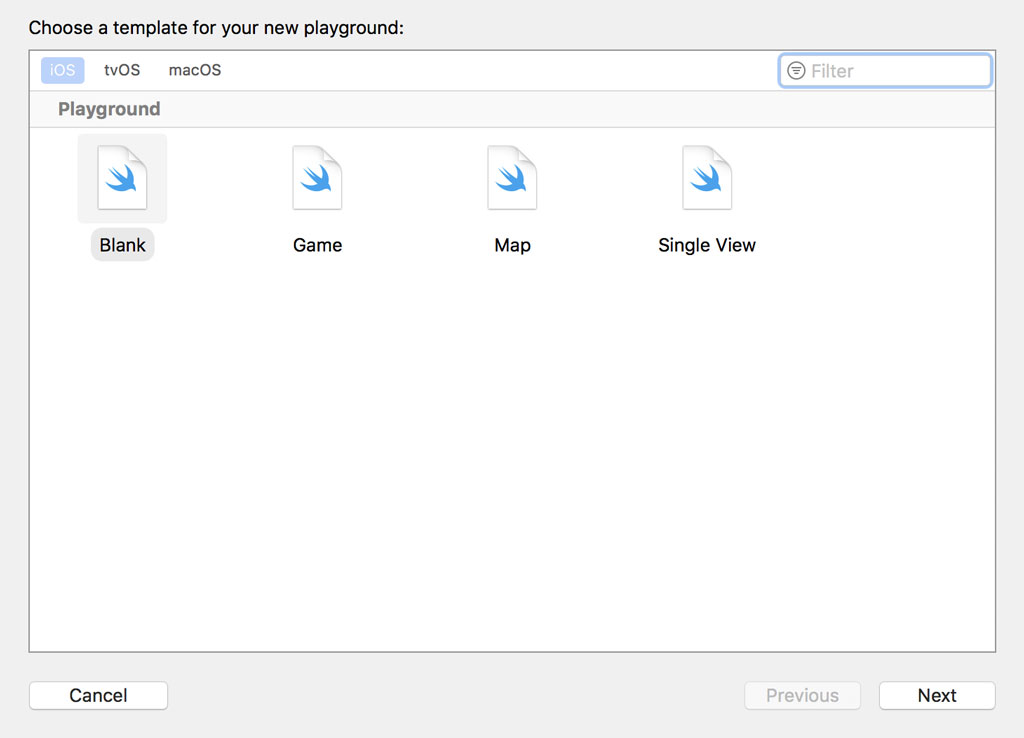
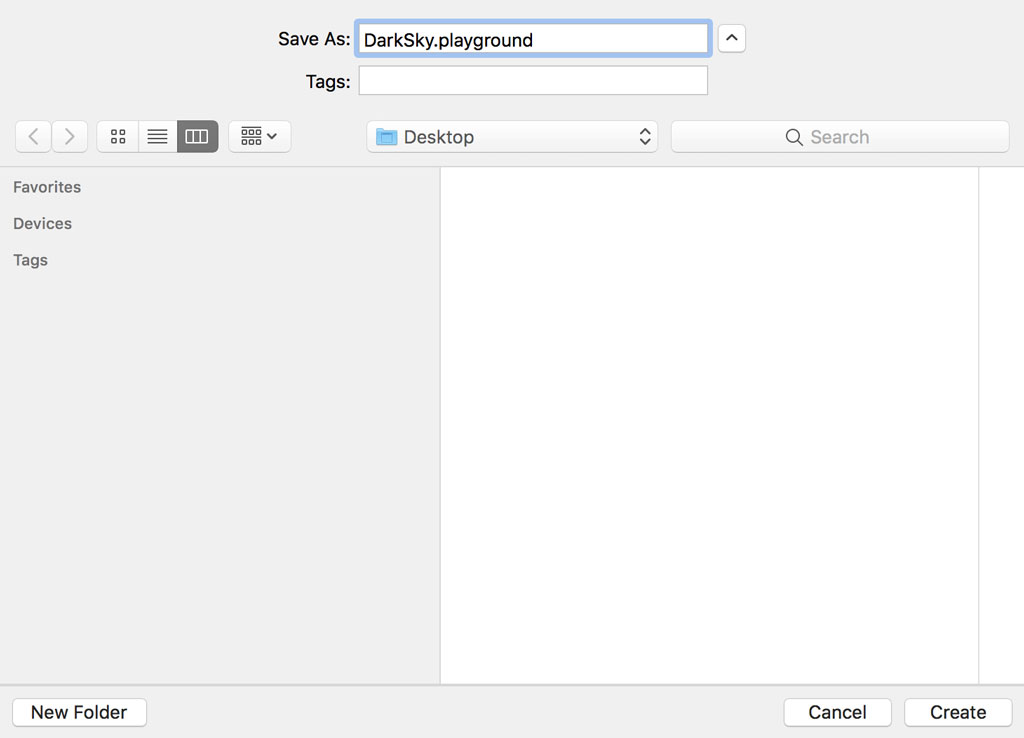
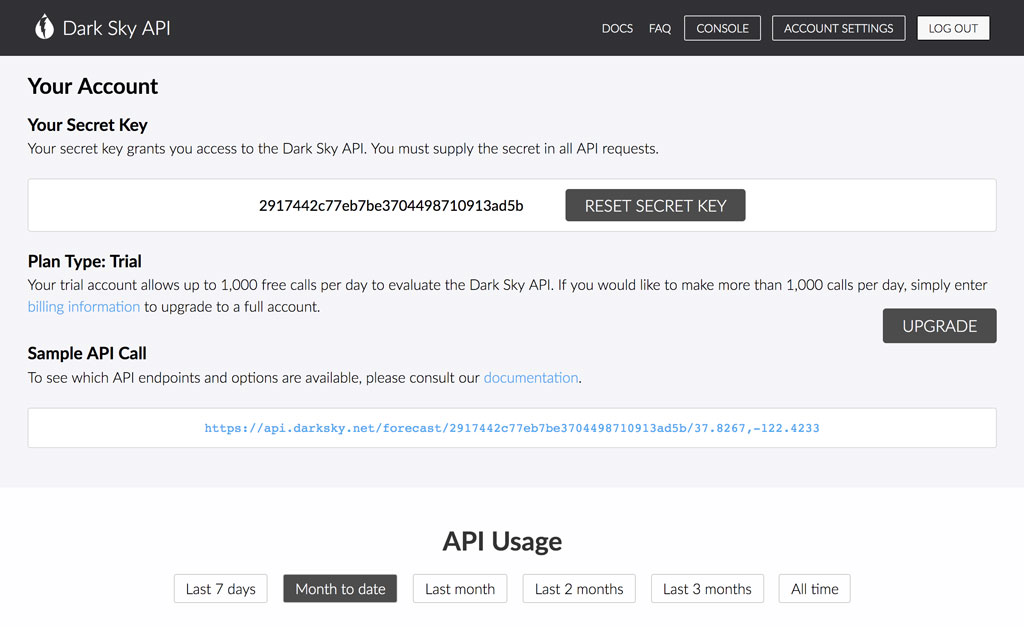
We first need to fetch a JSON response from the Dark Sky API to work with in the playground. Let me show you three techniques that work well. The first one is the console of the Dark Sky API. If you click the link of the sample API request, you should see the JSON response rendered in your browser.
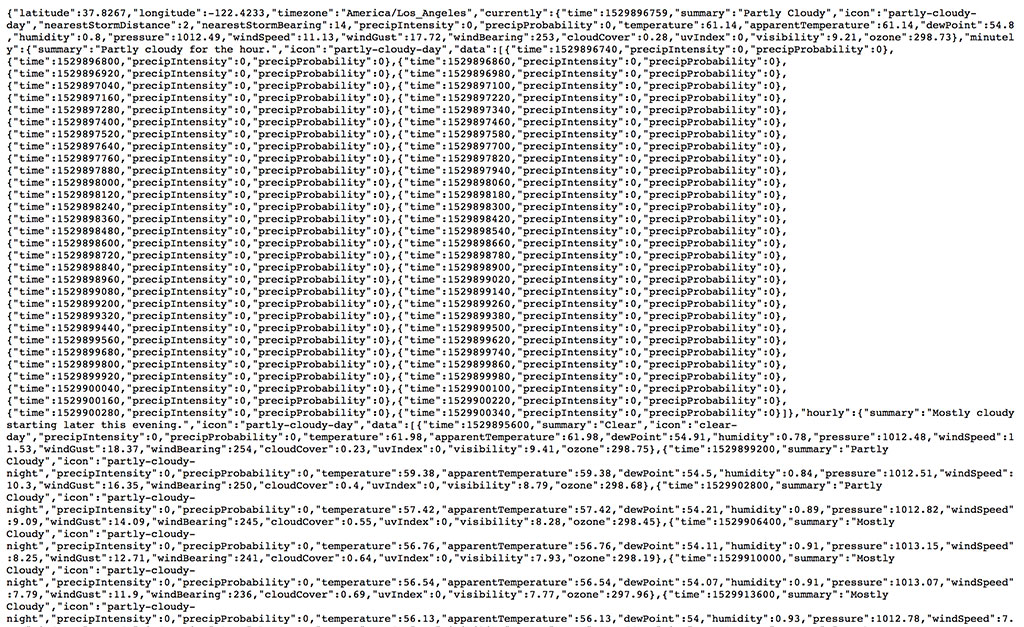
Press Command + S to save the page and name the file darksky.json.
The second solution takes advantage of the command line and the cURL command. We execute the curl command with the -o option to save the response to the specified location. The last argument of the curl command is the URL of the request.
curl -o ~/Desktop/darksky.json https://api.darksky.net/forecast/2917442c77eb7be3704498710913ad5b/37.8267,-122.4233
For the third option, we use an API client, such as Paw or Postman. API clients make working with web services easy and they come with a wide range of features. Paw is an application I enjoy using, but there are many other options you can choose from, including the popular Postman.
You enter the URL for the request and hit the refresh button at the top. Paw shows the response of the request on the right. We can copy the response to the clipboard or choose Export Response > Response Body from the File menu.
Adding a Sample Response to the Playground
Revisit the playground we created earlier, open the Navigator on the left, and add the response of the request to the Resources folder. That gives us something to work with. Let's load the contents of the file in the playground.
Remove the contents of the playground and add an import statement for the Foundation framework. The Codable protocol is defined in the Swift standard library. The JSONDecoder class, which we use later to decode the JSON response, is defined in the Foundation framework.
import Foundation
We ask the main bundle of the playground for the URL of the file that contains the Dark Sky response, darksky.json. Because url(forResource:withExtension:) returns an optional URL instance, we use a guard statement to unwrap the result. We throw a fatal error in the else clause because we're not interested in handling any errors. It's important to understand that we're implementing a feature we add to the Rainstorm project later. Any errors are handled in the Rainstorm project.
import Foundation

guard let url = Bundle.main.url(forResource: "darksky", withExtension: "json") else {
    fatalError()
}
We use the URL instance to load the JSON response as a Data instance because that's what we receive from the URLSession API in the Rainstorm project. The initializer of the Data struct is throwing. We prepend the initializer with the try? keyword and use a guard statement to safely unwrap the result of the initializer. We throw a fatal error in the else clause of the guard statement.
import Foundation

guard let url = Bundle.main.url(forResource: "darksky", withExtension: "json") else {
    fatalError()
}

guard let data = try? Data(contentsOf: url) else {
    fatalError()
}
You can also force unwrap any optionals you encounter. I find that a guard statement improves readability. It's merely a personal choice.
Creating a Model
With the JSON response loaded from the main bundle, we can start decoding it. Create a file in the Sources folder and name it DarkSkyResponse.swift. An import statement for the Foundation framework should already be present.
import Foundation
The response of the Dark Sky API is quite complex and we only need a small subset of the data we receive. It's time to pour the JSON response into model objects the application can use to populate its user interface. We start by creating the type that represents the response of the Dark Sky API. Define a struct and name it DarkSkyResponse. The struct should conform to the Codable protocol.
import Foundation

struct DarkSkyResponse: Codable {

}
Before I explain how the Codable protocol works, I want to show you how easy it is to use. If we inspect the response of the Dark Sky API, we see that the latitude and longitude of the request are included in the response. Let's extract these properties from the response. We define a constant property of type Double for each of these properties.
import Foundation

struct DarkSkyResponse: Codable {

    let latitude: Double
    let longitude: Double

}
Revisit the playground. We can now decode the JSON response stored in the Data instance. As I mentioned earlier, the Codable protocol is flexible and it isn't limited to encoding and decoding JSON. Because JSON is such a common format, the Foundation framework has built-in support for working with JSON.
To decode the Data instance, we need to create a decoder. For that purpose, we initialize an instance of the JSONDecoder class.
let decoder = JSONDecoder()
We ask the JSON decoder to decode the Data instance by invoking the decode(_:from:) method, passing in the type of the value to decode and the Data instance that needs to be decoded. Because the decode(_:from:) method is throwing, we execute the method in a do-catch statement. In the catch clause, we inspect any errors that are thrown.
let decoder = JSONDecoder()

do {
    let response = try decoder.decode(DarkSkyResponse.self, from: data)

    print(response)
} catch {
    print(error)
}
Xcode tells us we have a problem. The DarkSkyResponse struct doesn't appear to be a valid type. This is a common problem developers run into when working in a playground. The Sources folder of the playground doesn't belong to the same module as the playground. To access the DarkSkyResponse struct in the playground, we need to declare it publicly by prepending the public keyword to it.
import Foundation

public struct DarkSkyResponse: Codable {

    let latitude: Double
    let longitude: Double

}
This also applies to every property we want to access in the playground. We need to declare the latitude and longitude properties publicly to access them in the playground.
import Foundation

public struct DarkSkyResponse: Codable {

    public let latitude: Double
    public let longitude: Double

}
That's it. We successfully decoded the response of the Dark Sky API. You may be wondering why the implementation of the DarkSkyResponse struct isn't more complicated. As I mentioned earlier, the Codable protocol and the JSONDecoder class do the heavy lifting. The Codable protocol was designed with flexibility in mind.
We can keep the implementation simple because the structure of the JSON response is identical to that of the DarkSkyResponse struct. What happens if they're not identical? Let's rename the latitude and longitude properties of the DarkSkyResponse struct to lat and long respectively.
import Foundation

public struct DarkSkyResponse: Codable {

    public let lat: Double
    public let long: Double

}
An error is thrown as a result. The error indicates that a key with name lat is missing. This isn't surprising. How can we fix this? The solution is simple, but you first need to understand the error.
The compiler inspects the DarkSkyResponse struct and generates an enum with name CodingKeys, which conforms to the CodingKey protocol. The CodingKey protocol is defined in the Swift standard library and it defines how a property maps to an encoded value.
The compiler handles this for us, but it's possible to customize how each property maps to an encoded value by defining an enum, CodingKeys, that conforms to the CodingKey protocol. The raw value of the enum is of type String. Notice that the CodingKeys enum is nested inside the DarkSkyResponse struct.
import Foundation

public struct DarkSkyResponse: Codable {

    enum CodingKeys: String, CodingKey {
        case lat = "latitude"
        case long = "longitude"
    }

    public let lat: Double
    public let long: Double

}
We define a case for each property of the DarkSkyResponse struct. The raw value of the case corresponds with the key of the encoded value. By defining the CodingKeys enum decoding the JSON response no longer fails.
Let's revert the changes we made by removing the CodingKeys enum and renaming the lat and long properties to latitude and longitude respectively.
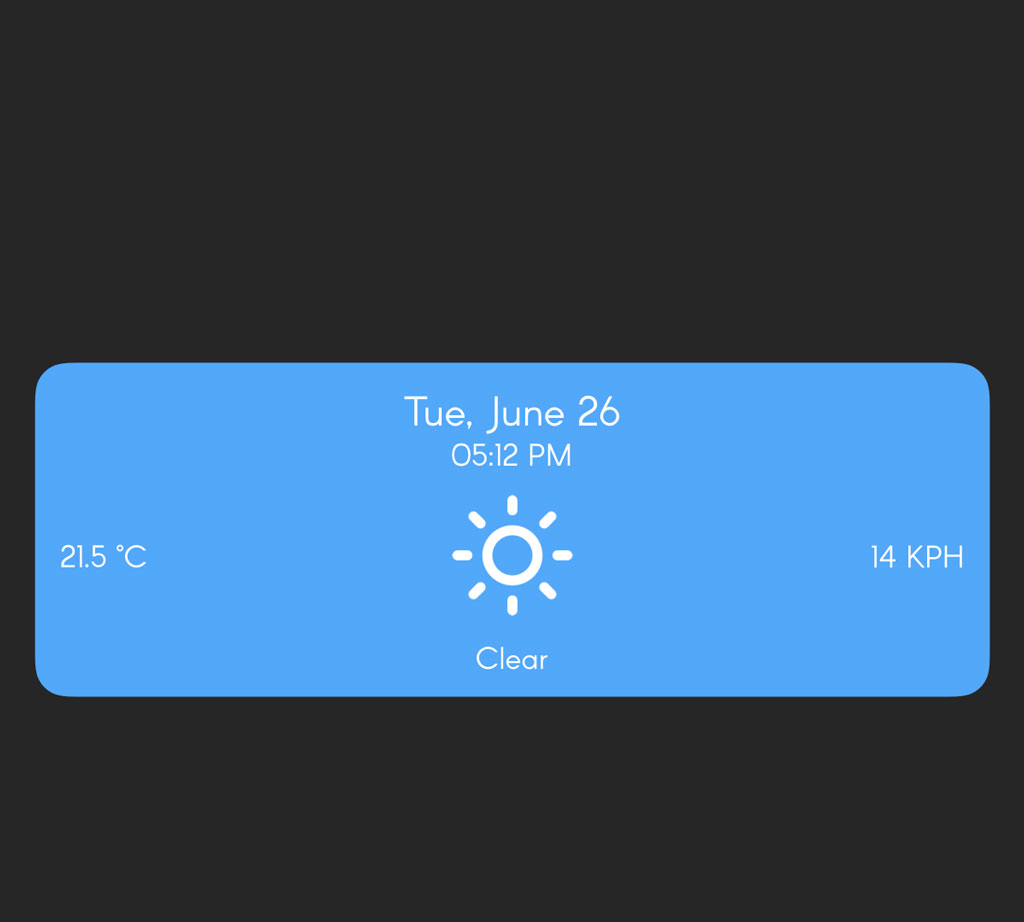
Let's take a look at the data we plan to display in Rainstorm's user interface. Remember that Rainstorm displays the current weather conditions at the top. We plan to show the user the time, the current temperature, and the wind speed. We also display an icon visualizing the current weather conditions and a short summary.
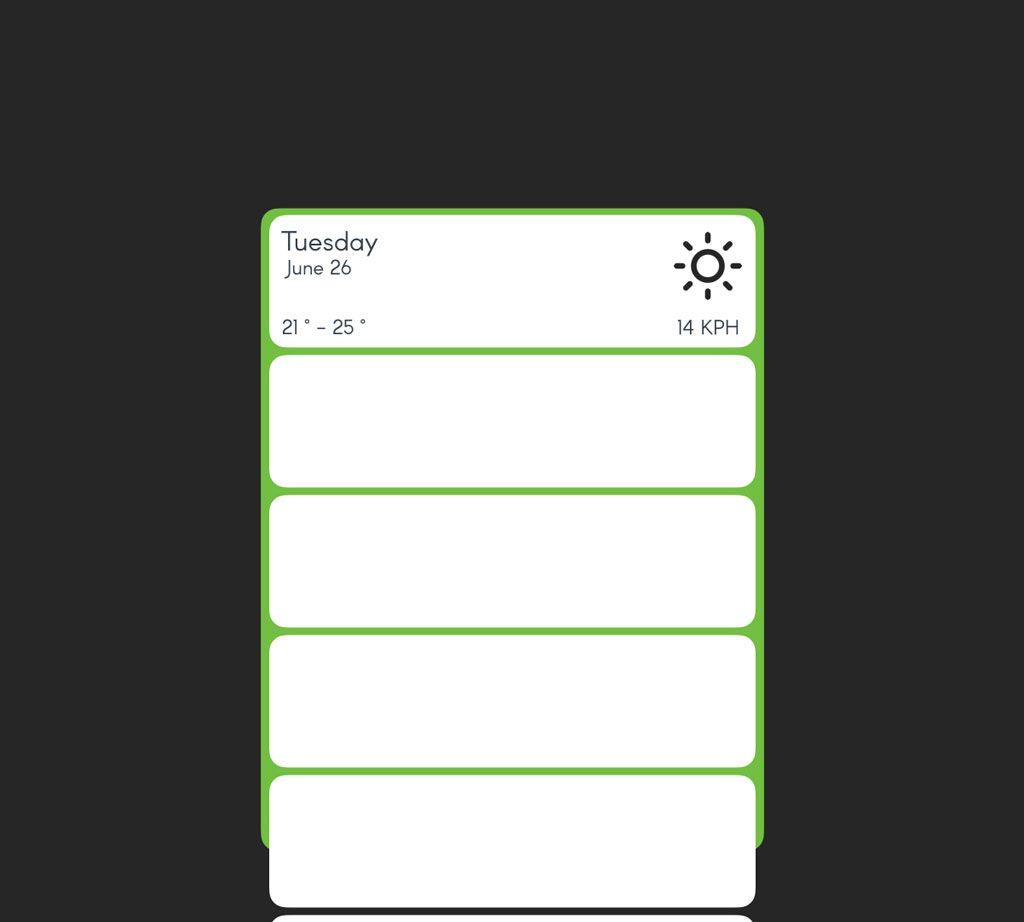
At the bottom, Rainstorm shows a forecast for the next few days. For each day, we show the user the date, the minimum and the maximum temperature, an icon summarizing the weather conditions, and the wind speed.
The Codable protocol makes this straightforward. We also take advantage of nested types. Let's start with the top section of Rainstorm's user interface. We define a public struct nested inside the DarkSkyResponse struct. The struct is named Conditions and conforms to the Codable protocol.
import Foundation

public struct DarkSkyResponse: Codable {

    public struct Conditions: Codable {

    }

    public let latitude: Double
    public let longitude: Double

}
The Conditions struct defines several public properties, time of type Date, icon of type String, summary of type String, windSpeed of type Double, and temperature of type Double.
import Foundation

public struct DarkSkyResponse: Codable {

    public struct Conditions: Codable {
        public let time: Date
        public let icon: String
        public let summary: String
        public let windSpeed: Double
        public let temperature: Double
    }

    public let latitude: Double
    public let longitude: Double

}
If we revisit the response of the Dark Sky API, we can see that the current weather conditions are stored under a key with name currently. To access the current weather conditions, we define a public property with name currently and it should be of type Conditions, the struct we defined a moment ago.
import Foundation

public struct DarkSkyResponse: Codable {

    public struct Conditions: Codable {
        public let time: Date
        public let icon: String
        public let summary: String
        public let windSpeed: Double
        public let temperature: Double
    }

    public let latitude: Double
    public let longitude: Double

    public let currently: Conditions

}
The Codable protocol takes care of the rest. With this small change, we can access the current weather conditions stored in the Dark Sky response.
do {
    let response = try decoder.decode(DarkSkyResponse.self, from: data)

    print(response.currently)
} catch {
    print(error)
}
We take a similar approach for the forecast. We define a public struct, Daily, that conforms to the Codable protocol. We define another public type, Conditions, nested inside the Daily struct. Because the Conditions struct is nested inside the Daily struct, its name doesn't conflict with the Conditions struct nested inside the DarkSkyResponse struct.
The Conditions struct conforms to the Codable protocol and it defines several public properties, time of type Date, icon of type String, windSpeed of type Double, temperatureMin of type Double, and temperatureMax of type Double.
import Foundation

public struct DarkSkyResponse: Codable {

    public struct Conditions: Codable {
        public let time: Date
        public let icon: String
        public let summary: String
        public let windSpeed: Double
        public let temperature: Double
    }

    public struct Daily: Codable {
        public struct Conditions: Codable {
            public let time: Date
            public let icon: String
            public let windSpeed: Double
            public let temperatureMin: Double
            public let temperatureMax: Double
        }

    }

    public let latitude: Double
    public let longitude: Double

    public let currently: Conditions

}
If we take another peek at the Dark Sky response, we see that the forecast for the next few days is stored under a key named daily. The weather conditions are stored as an array of objects under a key named data. This means we need to define two more properties.
The Daily struct receives another public property, data, of type [Conditions] and the DarkSkyResponse struct receives another public property, daily, of type Daily. This is what the DarkSkyResponse struct should look like.
import Foundation

public struct DarkSkyResponse: Codable {

    public struct Conditions: Codable {
        public let time: Date
        public let icon: String
        public let summary: String
        public let windSpeed: Double
        public let temperature: Double
    }

    public struct Daily: Codable {
        public let data: [Conditions]

        public struct Conditions: Codable {
            public let time: Date
            public let icon: String
            public let windSpeed: Double
            public let temperatureMin: Double
            public let temperatureMax: Double
        }

    }

    public let latitude: Double
    public let longitude: Double

    public let daily: Daily
    public let currently: Conditions

}
Let's print the contents of the current weather conditions and the number of days the Dark Sky API returns a forecast for. That's looking good.
print(response.currently)
print(response.daily.data.count)
Scratching the Surface
The Dark Sky response is easy to parse, which means we were able to use the Codable protocol without much customization. The Codable protocol is very flexible, though. Even complex responses can be parsed with relative ease. We only scratched the surface of what's possible in this episode.
In the next episode, we integrate the DarkSkyResponse struct into the Rainstorm project and improve the implementation by handling any errors that are thrown.